
* iMist3 is designed to be installed directly on a MistAway System and connect to a cellular tower. It does not connect to a home’s internet network.
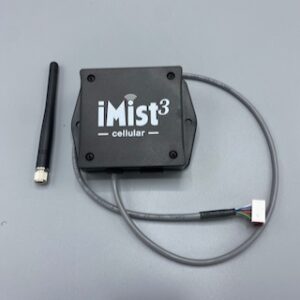
Pictured: iMist3 Module, iMist3 Antenna
Note: If you are replacing an iMist1 with an iMist3, please follow these instructions about disconnecting and removing iMist1.
Cable Connections
- Unplug the misting unit from power and remove its controller.
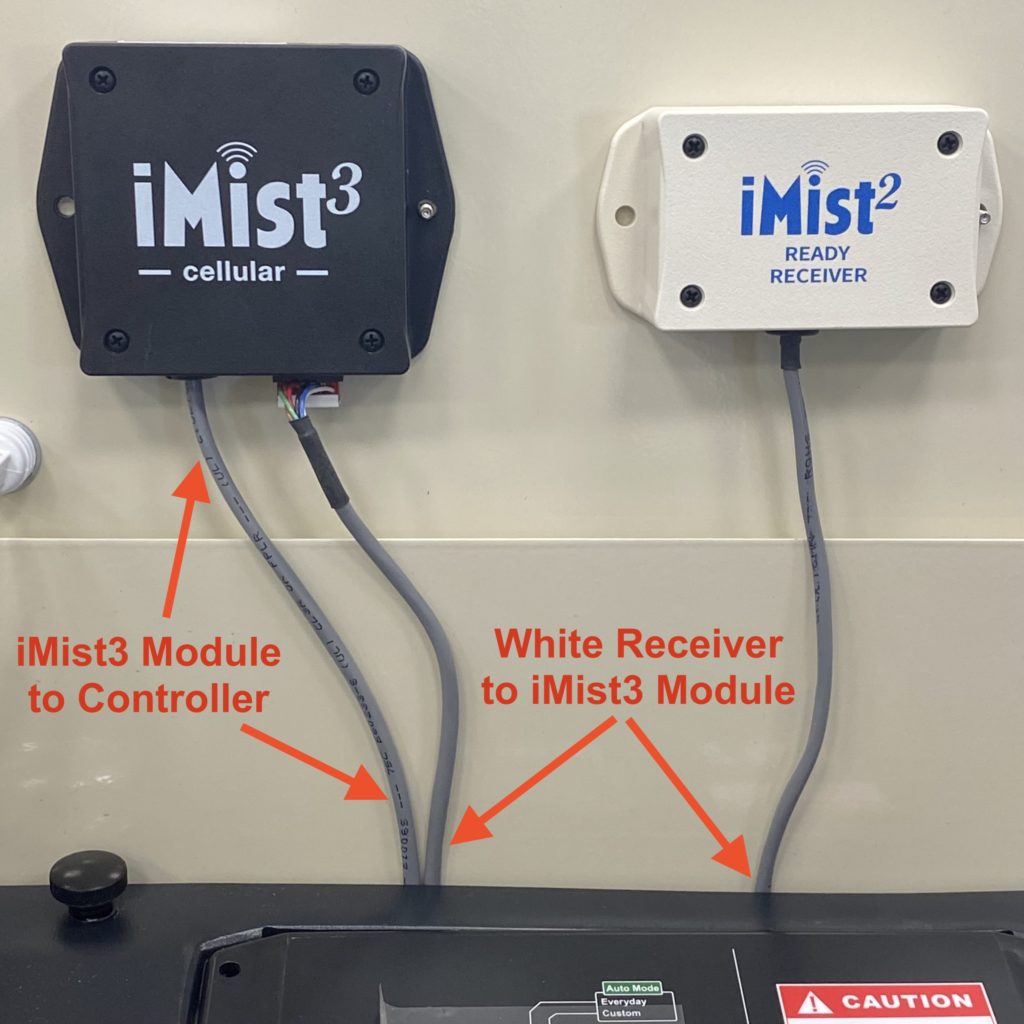
- Daisy Chain connect the iMist3 module, white receiver, and controller as shown.
- Please note how the white connectors are plugged in as their orientation is extremely important. (Click on image below to enlarge)
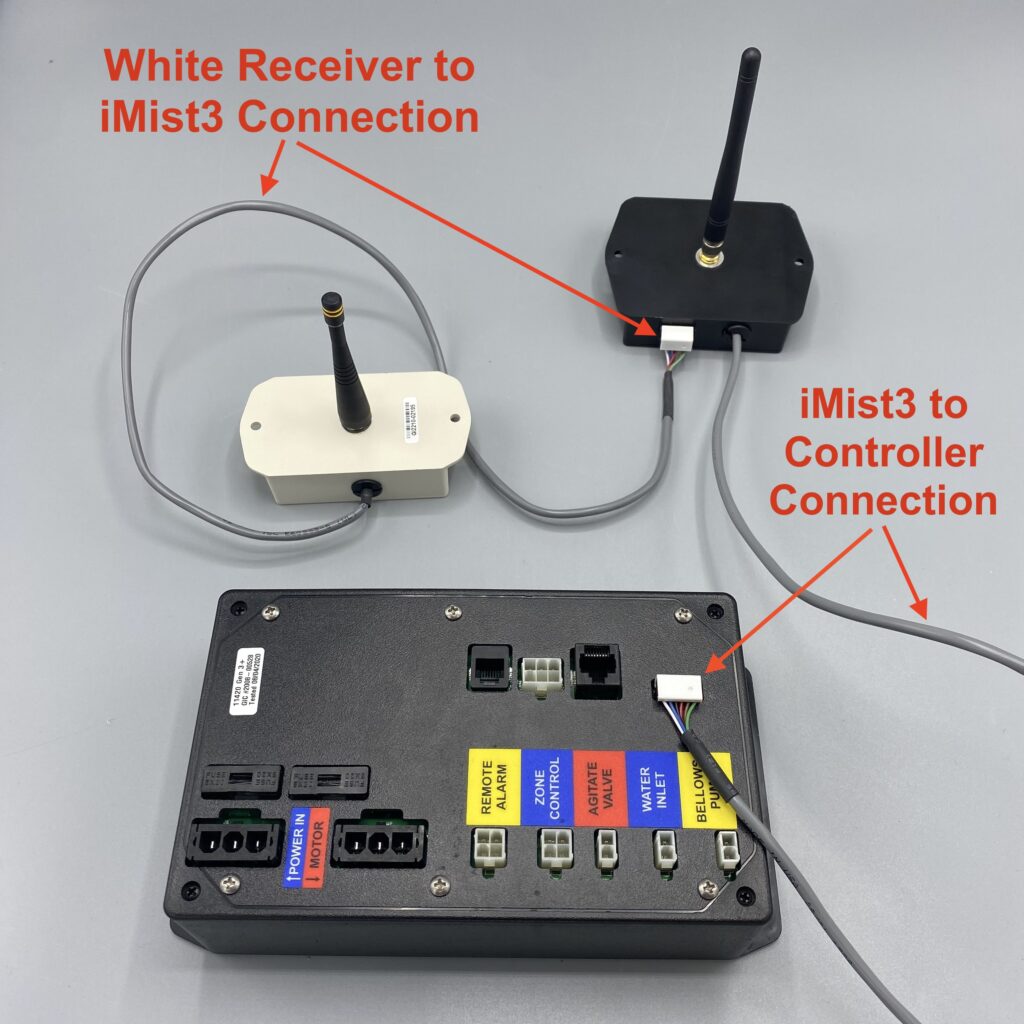
-
- Note: If you are replacing an iMist1 with iMist3, you should have removed and discarded the iMist1 module and there is no daisy-chain with the black remote receiver. It should remain connected to the controller with a length of network cable.
- Thread antenna onto coax connector on module by finger tightening.
- Power on controller and module.
- Observe green LED on iMist3 Module. Once the LED flashes in a slow, single pulse, sequence it will have connected to a nearby cellular tower.
Installing the Module on Gen 1.3 Misting Unit
- To rotate plastic shroud backwards, remove both sets of screws on either side of the plastic shroud.
- Mount the iMist3 to the front right corner of the metal chassis by using the provided orange screws.
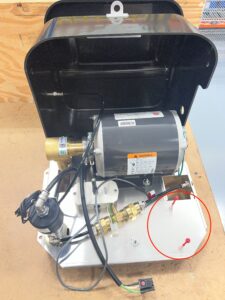
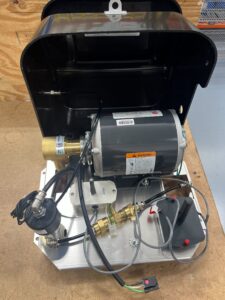
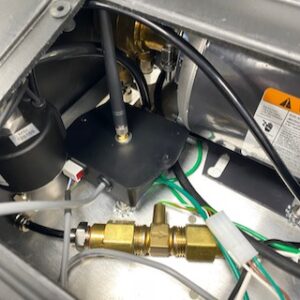
- If the front right corner is already being used by a white or black receiver (older Gen 1.3), securely place the module into the pocket of space between the pump and agitation valve (Shown below).
- Note: Ensure the antenna is as vertically straight as possible.
- Note: We recommend orienting the iMist3 module in such a way that its LED light is visible when the controller is lifted.
- Place the controller back onto the plastic shroud.
Installing the Module on the Gen 3+ Misting Unit
- Remove black plastic cap from center of metal lid to expose the lid’s mounting hole.
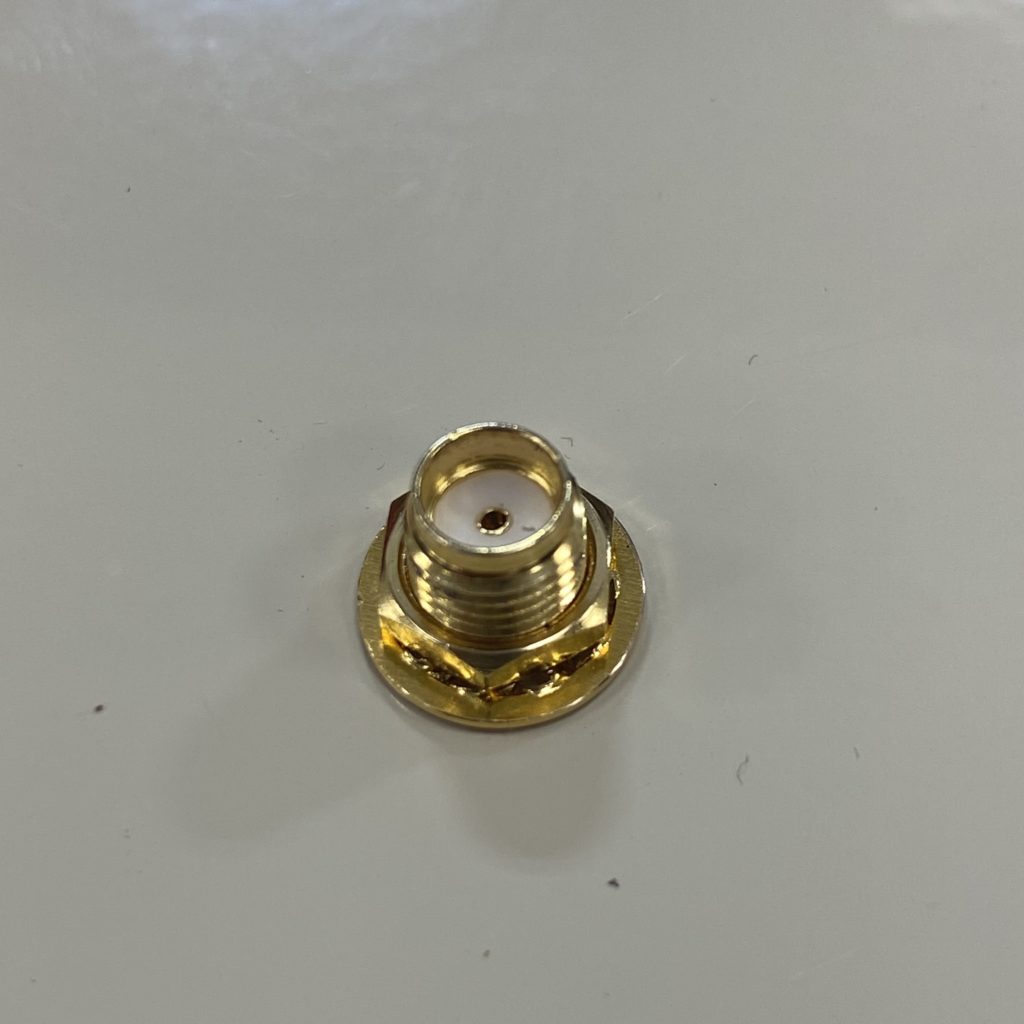
- Remove serrated lock washer and lock nut from the coaxial antenna connector.
- Carefully set these aside for a moment
- To mount iMist3 module to the underside of lid, pushing the coax connector through the lid’s mounting hole and temporarily hold it in place by hand.
- On the top side of the lid, place the lock washer first and then the lock nut onto the coax connector. Tighten until snug.
- Hand-thread the antenna onto the coax connector on the top side of the lid.
- Arrange gray cables behind plastic shroud.
- Place controller back onto plastic shroud.
If you are a MistAway Approved Dealer, please proceed to setup your customer’s account and associate the iMist3 module to it: iMist3 Setup: Part 2 – Connecting and Associating the Module